

beasty-visual-novel / getting-started / core-concepts.md
Core concepts
The mental model behind the whole package. Seven ideas. Once you hold them, every other page in this documentation is detail, and the editor stops surprising you.
Read this after Your first scene, when you have seen the pieces move.
DialogueScene - one story
A DialogueScene is the root asset of one story. Chapter 1 is a DialogueScene. So is a single conversation you jump into from a room and come straight back out of.
It holds almost nothing itself. It points at two things: the VNContext (the world this story happens
in) and a root StoryGraph (the story itself). It can also carry a .vnbeasty script file, which is
the same story written as text.
Create one with Create > Beasty VN > Visual Novel (Dialogue Scene), or let
Tools > Beasty VN > Setup > Blank Canvas build one with everything it needs already wired.
A game normally has several DialogueScenes. They all share one world.
VNContext - the one shared world
A VNContext is everything that is true about your game rather than about one scene:
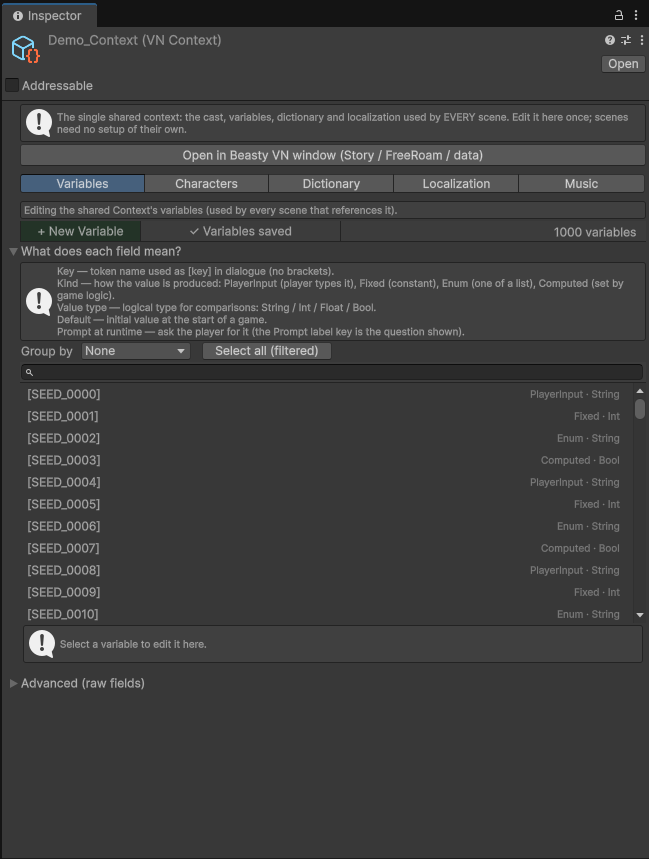
- the cast — every character
- the variables you defined, and the character schema (the fields every character has)
- the dictionary — text tokens the player can edit
- the localization table and the list of languages
- the items and the quest catalog
- the screens and the music config
There is a single global context. Not one per scene, not one per chapter — one. Every DialogueScene in your game points at the same VNContext, which is why a variable you set in chapter 1 is still there in chapter 7, and why the character you defined once is the same character everywhere.
The editor treats it as a singleton: Create Base Assets reuses the context that exists instead of ever
making a second one. If you find yourself with two, that is a bug in your project, not a feature. See
Validation and ids.
StoryGraph - a canvas of nodes
A StoryGraph is a canvas with nodes on it and edges between them. One node is the entry node — that is where playback starts.
A subgraph is a StoryGraph nested inside another one. You call it from a SubGraph node, it runs, it comes back with an outcome, and the calling node routes on that outcome. Use it when a chunk of story is self-contained: a fight, a flashback, a minigame’s dialogue. See Subgraphs.
Node - one beat
A node is one beat of the story. There are seven kinds, and that is the entire list.
| Node | Its job |
|---|---|
| Dialogue Node | Runs its blocks in order, then goes to its default next node. This is the workhorse; most of your graph is these. |
| Choice Node | Shows the player the options whose condition passes, and goes where the chosen one points. |
| Decision Node | Routes automatically and invisibly. The first branch whose condition passes wins. The player sees nothing. |
| Flow (Mode Switch) Node | Hands control out of the visual novel — to a room, to another scene. It has no successor. |
| SubGraph Node | Calls a nested graph and routes on the outcome it returns. |
| Return Node | Ends a subgraph, returning an outcome key. |
| Talk Menu Node | Shows a character’s talk menu. |
Right-click the graph canvas to create any of them. See The story graph.
Block - one instruction
A block is one instruction inside a node. A node holds a stack of them, and they run top to bottom.
Blocks are the whole authoring vocabulary. There is no scripting language underneath — a block is the smallest thing the story can do:
| Category | What lives there |
|---|---|
| Dialogue | The Dialogue block. One spoken or narrated line. The only block with free text in it. |
| Scene | Backdrop, Show character, Expression, Hide character, Props. |
| Clear | Characters, Backdrop, Props. |
| State | Set variable, Set dictionary, Character variable, Character name. |
| Quests | Update quest, Deliver items. |
| World | Wait, Advance time, Open screen, Routine override. |
| Items | Give, Take, Set quantity, Use. |
| Audio | Music, Ambient, Voice, Sound effect, Stop channel. |
| Input | Ask into a variable, into a dictionary token, or into a character’s name. |
| Flow | Go to FreeRoam, Return to room, Choose room, Go to VN scene. |
Three things about blocks are worth internalising early.
A Dialogue block stops. It shows its line and waits for the player. Everything else runs straight through. That is why two Dialogue blocks are two lines, and why a Backdrop block followed by a Dialogue block is one moment, not two.
A block with no asset assigned does nothing. An empty Backdrop block or a Music block with no clip is skipped — whatever is on screen stays on screen, whatever is playing keeps playing. To blank the backdrop or silence a channel on purpose, use the Clear Backdrop block or the Stop channel block. This is a deliberate design: it means you can leave a block half-filled without breaking the scene, but it also means an empty block is never an error and never warns you.
Some blocks describe the scene, others change the world. Scene blocks (backdrop, characters, props) are declarative: they say what the stage looks like, and they are simply rebuilt when the player rewinds. World-changing blocks (set a variable, give an item, advance time) fire once, and rewinding restores them from a snapshot. You do not have to think about this — but it is why rewind is correct rather than approximate.
Full list with every field: Blocks reference.
The variable store - the one that matters
This is the design decision the whole package rests on. Everything else follows from it.
There is one flat key/value store, and everything lives in it.
Not “variables live here and quests live over there”. One store:
| What | The key it lives under |
|---|---|
| Your variables | gold, saw_intro — no prefix |
| Character variables | @char:juan:affection |
| Game time | @time:daypart, @time:hour, @time:day, @time:weekday, @time:season |
| Quests | @quest:ana_m1:@state, @quest:ana_m1:@stage |
| Inventory | item.potion |
| Dictionary | the token’s own key |
The editor shows these with friendly labels — you pick time.daypart from a dropdown, not
@time:daypart from memory. But underneath, they are all the same kind of thing, and that is the point.
Why it matters. Three consequences, and each one is a feature you would otherwise have to build:
-
Time and routines can be used in any condition. A choice can require
time.daypart == Evening. A door can be locked unlessmaya.location == Bakery. A quest can start whengold >= 100. There is no integration work between the time system and the condition system, because the time system does not have its own storage — it writes into the same store the condition system reads from. -
Everything is saved automatically. A save captures the store. That is one operation, and it picks up your variables, the clock, every quest’s state, the inventory and the dictionary, because they were never separate things. Add a new quest to your game and it saves correctly without you doing anything. See Saving and loading.
-
Rewind works. Going back a line means restoring the store to what it was. Again: one operation, all of the world, no per-system undo logic that somebody forgot to write for the system you added last week.
If you take one idea from this page, take this one. When you wonder “can I use X in a condition?”, the answer is almost always yes, and this is why.
Full detail: Variables and conditions, and Variable keys for every reserved namespace.
BeastyManager - the one object
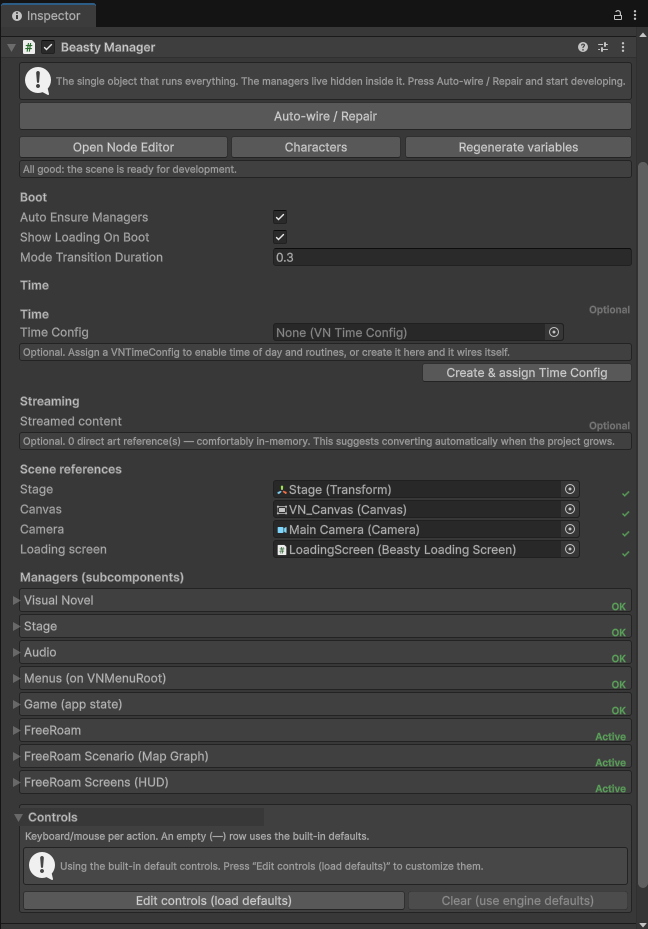
BeastyManager is the single GameObject you drag into a Unity scene. It owns every manager — the story director, the stage, the audio, the input, the save system, the free-roam controller — as hidden sub-components. You do not add them, wire them or think about them.
That is why the setup wizard’s scene has five objects instead of thirty, and why “auto-wire” is a button that works rather than a promise. See Controllers if you want to reach into it from code.
How a frame of the game flows
Put together, this is what happens when the player is playing:
- Playback is at a node. The graph handed it the entry node when the story started, or the previous node handed it this one.
- The node runs its blocks, top to bottom. Set the backdrop. Show Juan. Give the player a potion. Advance the clock two dayparts. Each block that changes the world writes into the variable store.
- A Dialogue block stops. The line goes on screen. The engine waits.
- The player advances — space, click, or auto-advance. Playback picks up at the next block.
- When the blocks run out, the node hands off to the next node: its default next, or the option the player chose, or the branch whose condition passed, or the outcome a subgraph returned.
- Back to step 2, at the new node.
Rewind is that loop run backwards: restore the store, rebuild the stage from the scene blocks, and show the previous line.
See also
- The story graph — the canvas and the seven node types
- Blocks reference — every block, by category
- Variables and conditions
- Saving and loading
- Scripting overview — the same model, from code