

beasty-visual-novel / world / game-time.md
Game time
Dayparts, an optional clock, weekdays and seasons. Game time is the backbone of the living world: it drives character routines, conditional room backgrounds, recurring quests and any condition you care to write. This page is for writers and designers.
The design decision, stated up front
Time is author-driven. The runtime never advances the clock on its own. No hidden timer ticks while the player reads a line. Time moves only when you say so:
- an Advance time block inside a story node,
- a free-roam object with advance time on click (a bed, a clock),
- a HUD button whose action is AdvanceTime,
- or a call from your own code (see Gameplay APIs).
That is deliberate. A visual novel is paced by its scenes, not by a stopwatch, and a player who wanders a room for ten minutes should not miss the evening.
Turning time on
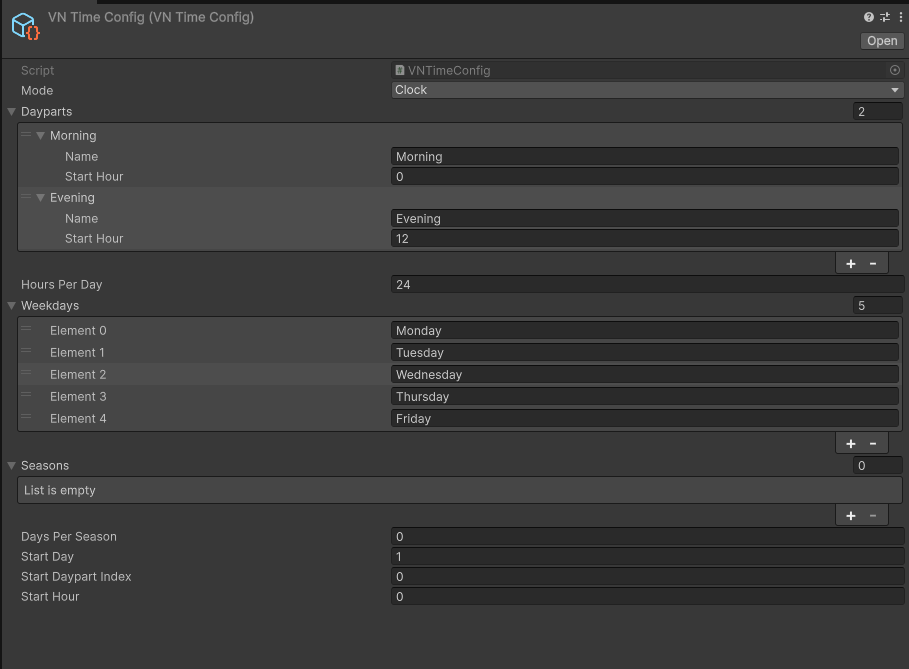
- Create the config:
Create > Beasty VN > Config > Time Config. - Select the BeastyManager in your scene.
- Drag the config into its Time Config field.
Warning Leave the Time Config field empty and the whole time system is off. No time variables are written, and every condition that reads time evaluates to false — a routine rule keyed on
time.daypartnever matches, a conditional background keyed on the season never shows, a Daily quest never rolls over. If your world looks frozen, check this field first.
Everything time writes goes into the same shared variable store as your own variables. That is why time is saved, restored and rewound with everything else, and why you can read it in any condition without special treatment.
The two modes
| Mode | What it is |
|---|---|
SlotsOnly | Time is a list of named dayparts (Morning, Afternoon, Evening, Night). There is no hour. |
Clock | Time is an hour counter. The current daypart is derived from the hour. |
Pick SlotsOnly unless the player must see a clock. It is less to author and less to get wrong.
How Clock mode derives the daypart
In Clock mode each daypart has a start hour, and those start hours cut the day into bands. The current daypart is the band with the greatest start hour that is still less than or equal to the current hour.
Hours before the first band belong to the LAST daypart, because the clock wraps through midnight. With these four dayparts:
Morning    startHour = 6
Afternoon  startHour = 12
Evening    startHour = 18
Night startHour = 22- Hour 5 -> Night. There is no band starting at or before 5, so it belongs to the last one: Night began at 22 the previous evening and is still running.
- Hour 6 -> Morning.
- Hour 13 -> Afternoon.
- Hour 22 -> Night.
Every field of the Time Config
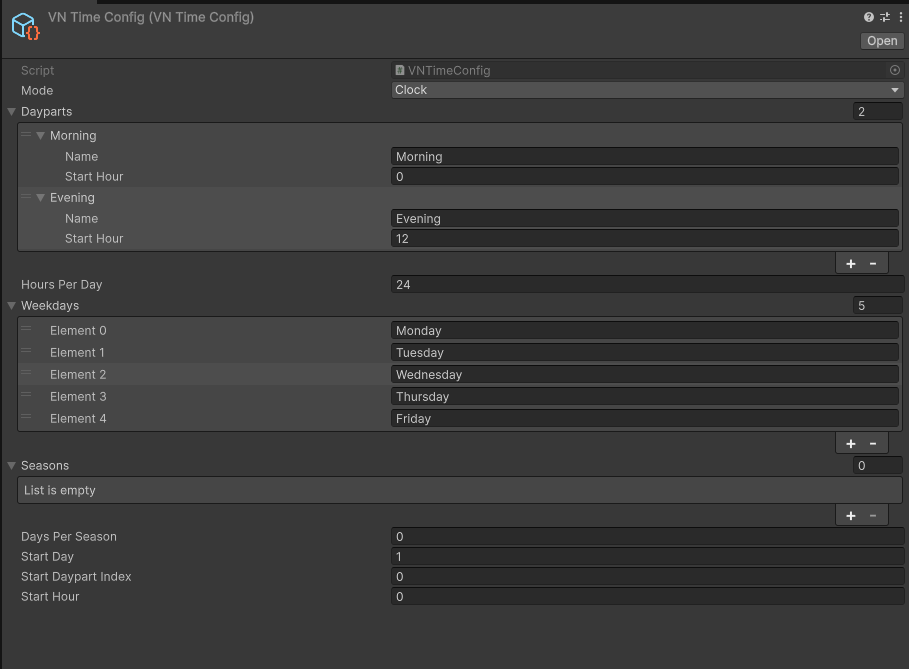
| Field | Mode | What it does |
|---|---|---|
mode | both | SlotsOnly or Clock. |
dayparts | both | The ordered list of dayparts. Each has a name and (Clock only) a startHour. |
hoursPerDay | Clock | How many hours one in-game day has. Default 24. |
weekdays | both | Optional list of weekday names. Empty = no weekdays. |
seasons | both | Optional list of season names. Needs daysPerSeason above 0. Empty = no seasons. |
daysPerSeason | both | How many days one season lasts. Ignored when seasons is empty. |
startDay | both | The day the session starts on. Default 1. |
startDaypartIndex | SlotsOnly | Index into dayparts for the opening daypart. |
startHour | Clock | The hour the session starts at. |
Weekdays and seasons
Both are optional calendar layers, and both are derived from the day number — you never set them by hand.
- The weekday cycles through the
weekdayslist: day 1 is the first name, day 2 the second, and it wraps. - The season is the block of
daysPerSeasondays the current day falls into, cycling throughseasons.
If weekdays is empty, time.weekday is never written and conditions on it never match. Same for seasons.
A week does not have to be seven days: name three weekdays and the week is three days long. Recurring weekly
quests use the length of your weekday list (or 7 when you have none).
Advancing time
The Advance time block
Add an Advance time block (palette category World) to any node. It has one operation:
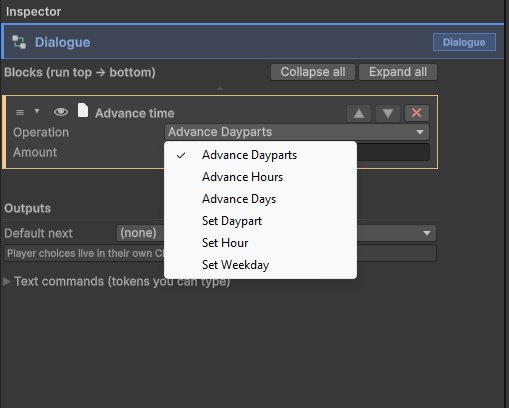
| Operation | What it does |
|---|---|
AdvanceDayparts | Move forward N dayparts. Wraps into the next day when it passes the last one. |
AdvanceHours | Clock only. Move forward N hours. The day counter follows on overflow. |
AdvanceDays | Move forward N days. The weekday and season are recalculated. |
SetDaypart | Jump to a named daypart. In Clock mode this also sets the hour to that daypart’s start hour. |
SetHour | Clock only. Set the hour. The daypart is re-derived from it. |
SetWeekday | Advance to the next occurrence of a named weekday. Always forward; today counts. |
A “go to sleep” scene, in blocks:
[Dialogue]      "You close your eyes."
[Advance time]  op = AdvanceDayparts, amount = 1
[Dialogue]      "Morning already."
That moves one daypart forward, which may or may not be morning. For a clean skip to a fixed time regardless
of when the player went to bed, use SetDaypart with the daypart name Morning instead.
SetWeekday is the “wait until Friday” operation: it advances the day counter to the next Friday. If today is
already Friday, nothing moves.
Every operation writes its changes in one batch, so conditions, routines and any HUD label bound to the time refresh once, not five times.
From a free-roam object
Any object or door in a room can carry an inline time effect: advance time on click plus the same set of operations. Use it for a bed or a clock — an object whose only job is to move time. When the interaction also needs dialogue, do not use it: have the object enter a visual novel scene that contains an Advance time block. See Interactables and doors.
From a HUD button
A screen item whose action is AdvanceTime does the same from the HUD. See Screens and HUD.

The reserved time variables
The runtime writes these into the shared store for you. They appear in the condition picker under friendly names, so you rarely type the raw key.
| Store key | Picker label | Written when | Value |
|---|---|---|---|
@time:daypart | time.daypart | Always | The current daypart name, e.g. Morning. |
@time:hour | time.hour | Clock mode only | The hour, as a number. |
@time:day | time.day | Always | The day number, starting at 1. |
@time:weekday | time.weekday | When weekdays is not empty | The current weekday name. |
@time:season | time.season | When seasons and daysPerSeason are set | The current season name. |
They are ordinary variables in an extraordinary namespace: read them in a background condition, a choice condition, a dialogue condition, an object’s visibility, a routine rule, a quest’s start condition. Nothing special is required anywhere.
Condition cheat-sheet
time.daypart == Morning
time.hour >= 18
time.day > 3
time.weekday == Monday
time.season == Summer
Character routines publish their own reserved variables alongside these
(maya.location, maya.spot, maya.routineMode) — see Character routines.
Common mistakes
- Nothing happens. The Time Config is not assigned to the BeastyManager.
- A condition on
time.hournever matches. You are inSlotsOnlymode; there is no hour. Usetime.daypart. - A condition on
time.weekdaynever matches. Theweekdayslist is empty. - The player is stuck at Morning forever. Nothing in your game advances time. Add an Advance time block somewhere the player passes through, or a bed.
See also
- Character routines — putting characters where they belong at each daypart.
- Quests — Daily, Weekly and SpecificDays quests, and WaitTime objectives.
- Variables and conditions — how conditions are built.
- Gameplay APIs —
BeastyTimefor programmers. - Variable keys — every reserved key namespace.