

beasty-visual-novel / world / free-roam-rooms.md
Free-roam rooms
The world between conversations: a map of rooms the player can walk through, click around in, and leave for a scene. This page is for writers and designers.
Free roam is optional. A pure kinetic novel — a story with no choices — never touches it. But the moment you want the player to choose where to go and who to talk to, this is the mode you enter.
The map graph
Everything lives on one asset, the FreeRoam Map Graph
(Create > Beasty VN > FreeRoam > FreeRoam Map Graph). It holds:
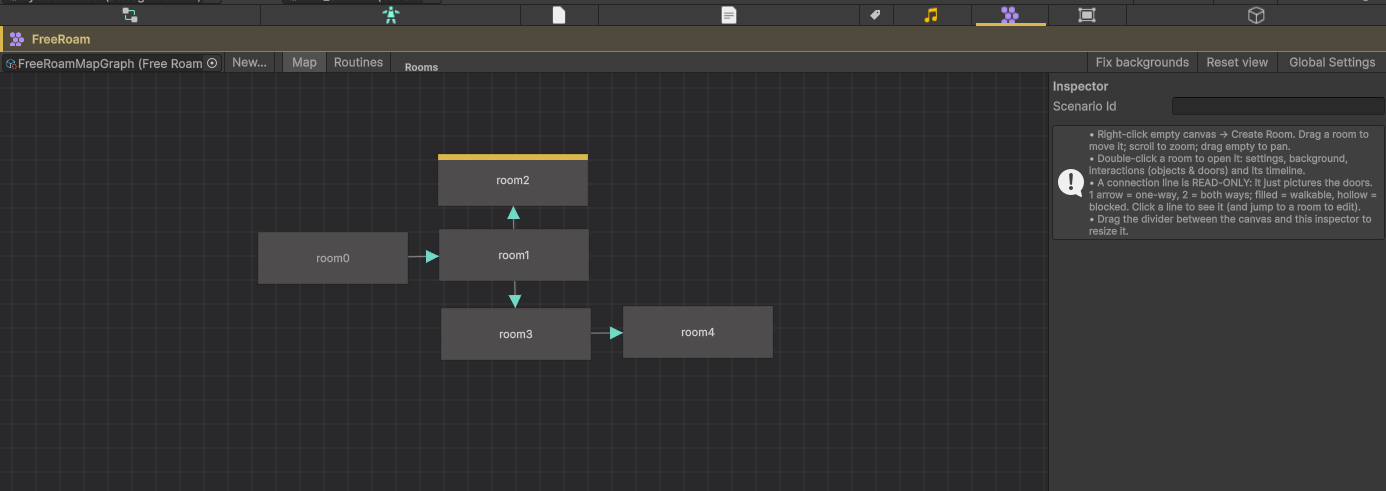
- the rooms,
- the entry room — where the player lands when free roam starts,
- the routines — see Character routines.
You edit it in the FreeRoam tab of the Beasty VN window (Tools > Beasty VN > Editor), or by selecting
the asset and clicking Open in Beasty VN (FreeRoam tab).
Note The map view is a diagram, not an editor for room content. It shows rooms as boxes and the doors between them as lines. You can create a room, set the entry room, delete a room. Everything else — the name, the background, the objects, the doors — you author by drilling into the room: double-click it. The lines between rooms are read-only; they picture the doors that exist inside the rooms.
Deleting a room also offers to delete its room prefab asset, so the prefab does not stay behind as an orphan in the project. Deleting the asset is not undoable — the prompt says so before you confirm.
What a room is
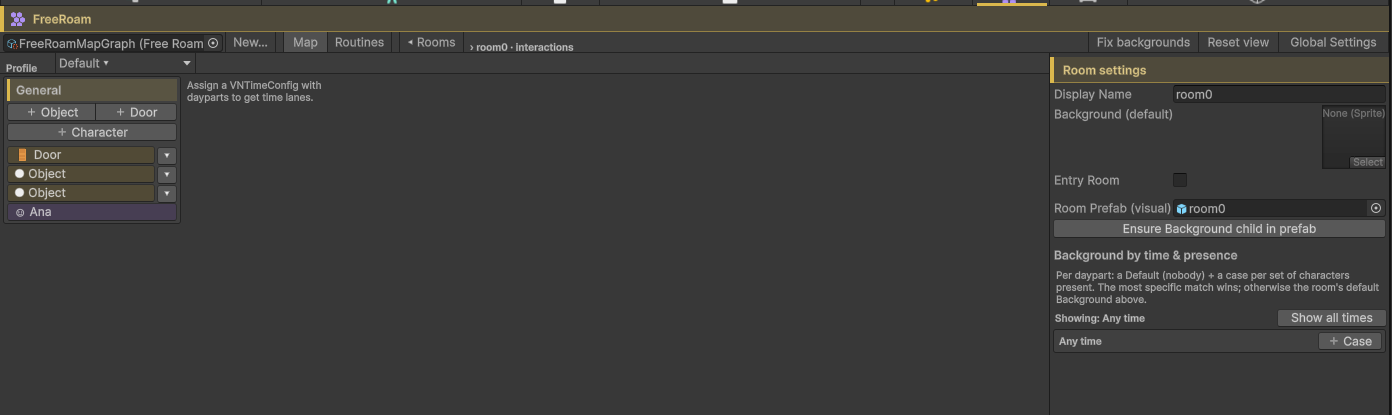
| Field | What it is |
|---|---|
| Id | The stable id. Doors and routines refer to the room by it. |
| Display Name | What you call it. Kept identical to the room prefab’s file name. |
| Background (default) | The sprite shown when no conditional background applies. |
| Conditional backgrounds | An ordered list of condition-plus-sprite cases. See below. |
| Room Prefab (visual) | The prefab that owns the art and the positions. |
| Buttons | The objects and doors in the room. See Interactables and doors. |
The split to keep in mind: the prefab owns what things look like and where they are; the map graph owns what they do. You place a lamp in the prefab with Unity’s own tools, and you say “clicking the lamp plays this scene” in the room’s editor. The two are linked by name.
Creating a room and its prefab together
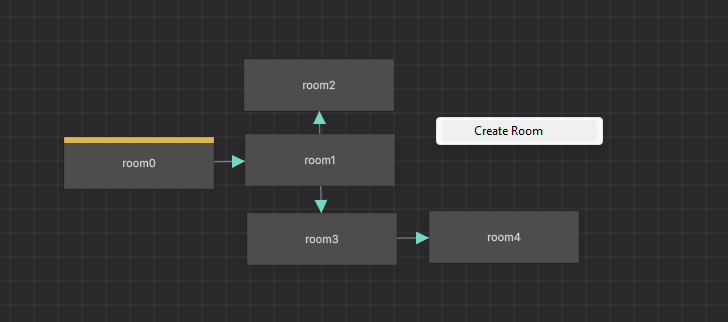
- In the FreeRoam tab, Map mode, right-click the empty canvas and choose Create Room.
- Beasty immediately asks where to save the room’s prefab, and creates it: a
FreeRoamRoomroot with aBackgroundchild ready to carry the room’s sprite. - The file name you pick becomes the room’s Display Name. From then on the two names stay in sync — rename the room and the prefab file follows; rename the prefab file and the room follows.
If you cancel the save dialog the room is created without a prefab; you can assign one later in the room’s settings. A room with no prefab can still be entered, but it cannot have character spots.
The first room you create becomes the entry room automatically. To change it, select a room in the map and tick Entry Room (or right-click it and choose Set as Entry Room).
The toolbar’s Fix backgrounds button retrofits every room prefab in the graph: it makes sure each one has a
FreeRoamRoom component and a Background child carrying the room’s sprite. Use it on prefabs you built by
hand.
Conditional backgrounds
A room does not need one look. Give it an ordered list of cases: each case is a condition and a sprite. The first case whose condition passes wins; if none passes, the default background is used. So a room can change with the time of day, the season, whether it is raining, whether a character is standing in it, or any variable in your game.
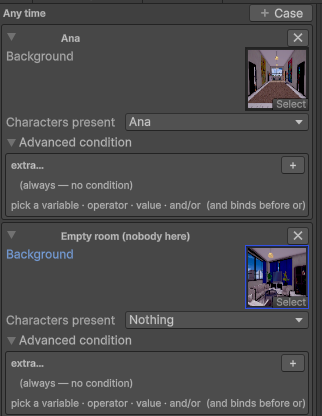
Because an empty condition always passes, a case with no condition swallows everything below it. Order the list from the most specific case to the most general.
The drill-in editor presents this as Background by time & presence, grouped into an Any time section plus one section per daypart, so the common case reads the way you think about it:
- Background — the sprite for this case.
- Characters present — a tick list; the case only applies while those characters are in the room.
- Weekdays (any = all) — a tick list; leave it empty for every day.
- Advanced condition — the raw condition, for anything the tick lists cannot express.
Clicking a daypart header in the room’s timeline focuses the editor on that daypart alone, which is the fast way to author “the kitchen at night”.
Under the hood these are the same ordered condition-plus-sprite cases; the sections are a convenience, not a different model.
The room prefab
The prefab is a normal Unity prefab. Open it and build the room the way you would build any 2D scene.
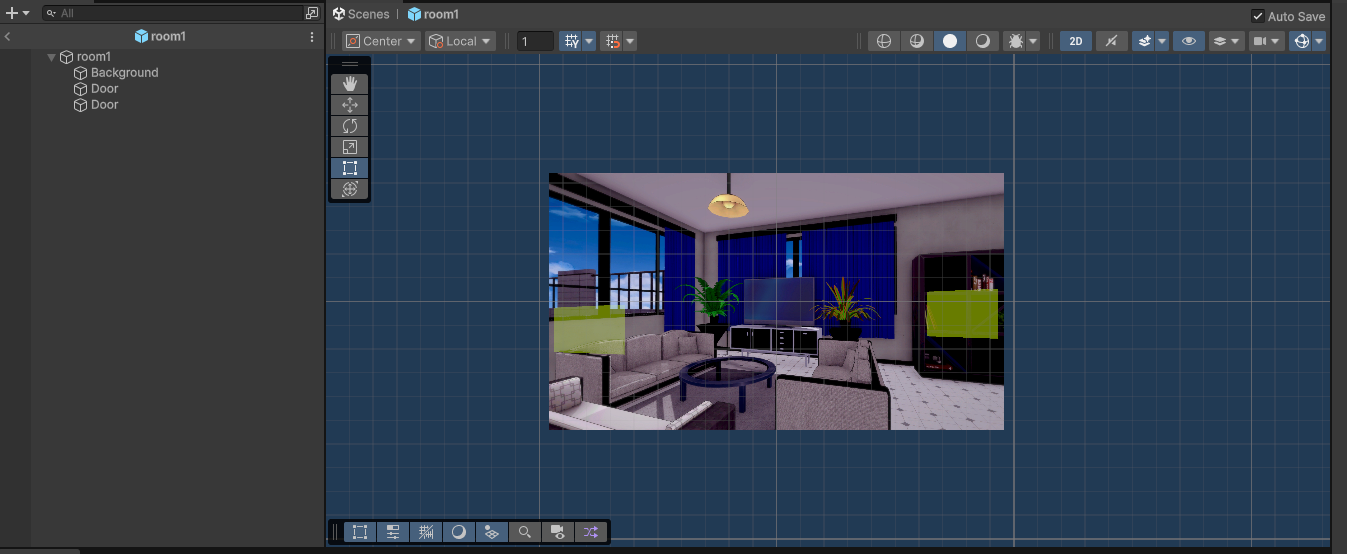
| Component | What it marks |
|---|---|
FreeRoamRoom | The prefab root. Collects the background renderer, the interactables and the spots. |
FreeRoamInteractable | One clickable object. Its id links it to the logic record in the map graph: the Button Id field if set, otherwise the GameObject’s name. |
FreeRoamCharacterSpot | A place where a character stands. |
Objects created by the room editor arrive with Button Id already filled in, so renaming those GameObjects in the Hierarchy is harmless — the name is a label, and the next sync rewrites it to the object’s Display Name anyway. An object you add to the prefab by hand with an empty Button Id is matched by its name instead: rename it and clicking it stops finding its logic, with only a Console notice to tell you. Fill in Button Id, or rename from the room editor.
Character spots
A spot is a child object with a FreeRoamCharacterSpot component. It marks where someone stands.
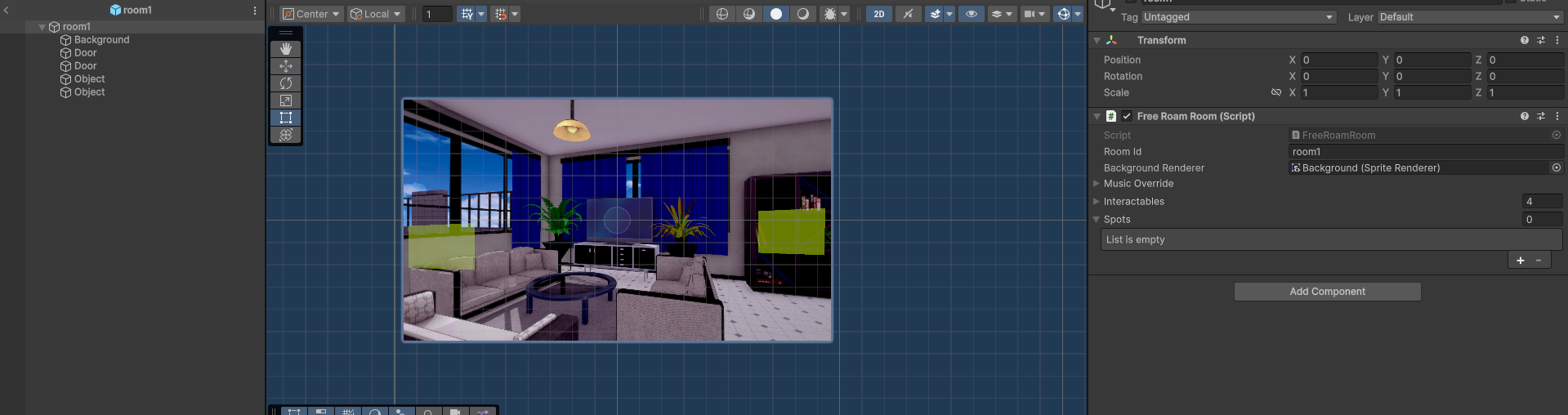
- Open the room prefab.
- Create a child GameObject and place it — position and scale — where the character should be.
- Add the
FreeRoamCharacterSpotcomponent. - The spot’s id is the GameObject’s name. Set Id Override if you want an id that survives a rename.
The spot’s position and scale are prefab decisions, not routine data. The routine says which room a character is in; the prefab says where in the room she stands. That separation is what lets you re-lay-out a room without touching a single schedule.
When several characters are in one room, each takes the next free spot: they never overlap. If the room runs out of spots, the next character is drawn at the room’s centre — so give a room at least as many spots as it can ever hold at once. See Character routines.
Entering a room from the story, and leaving again
The story and the map are two app modes; you cross between them with Flow blocks (palette category Flow), which are also offered as targets on any choice.

| Block | What it does |
|---|---|
| Go to FreeRoam | Leaves the novel and drops the player into a room you name. |
| Return to room | Goes back to the room the player came from. |
| Choose room | Lets the player pick a room from a list. |
A Go to FreeRoam block takes an optional scenario (the map graph) and a room id; leave the room empty to land in the map’s entry room. In the text script it is one line:
freeroam town/square
freeroam previous
freeroam choose town
Coming back the other way, from a room into a scene, is what an object’s Enter VN action does — and when that scene ends, the player is returned to the room they left. A scene entered from a room is a visit, not a one-way door.
Note A scene entered from a room keeps the room’s background behind it unless the scene sets a backdrop of its own. That is deliberate: a short exchange with a shopkeeper should look like it happens in the shop.
Flow blocks and flow nodes are covered in full in Transitions.
Music per room
A room prefab’s FreeRoamRoom can carry a music override, so a room can have its own track without any
scripting. The rest of the music model — the queue per app mode — is in
Audio and music.
See also
- Interactables and doors — everything you can click in a room.
- Character routines — who is in the room, and when.
- Transitions — leaving the novel and coming back.
- Game time — the variables a conditional background usually reads.
- Variables and conditions — how conditions are built.